In this post, we will enter some values in multiple columns. Then, we will create a cell where we search for that value.
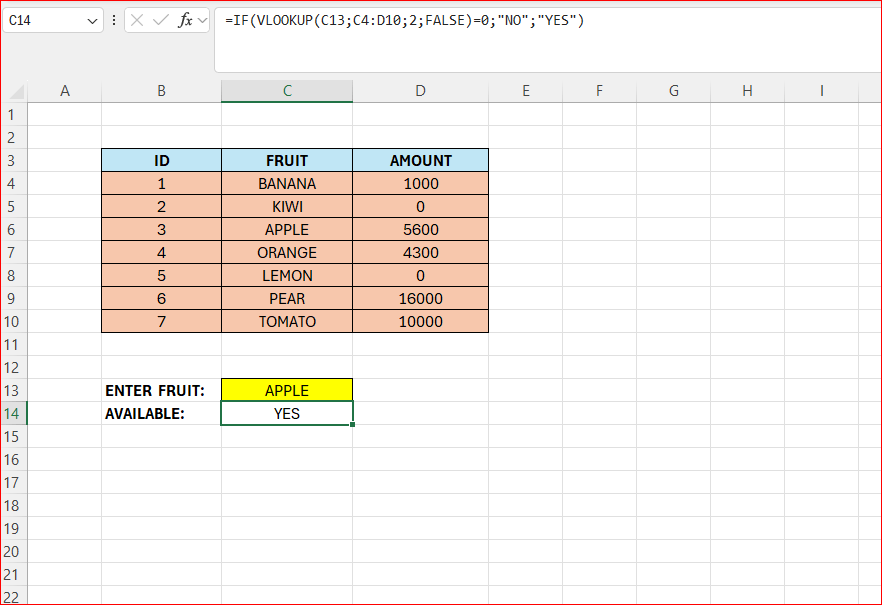
Below is our final result, we have a bunch of fruits, and their amount. In cell C13 we enter the fruit that we want to search for. The result is presented in cell C14.

- Our formula is in cell C14
- We can build the formula in steps
- First we enter the look-up part
- =VLOOKUP(C13;C4:D10;2;FALSE)=0
- Above, we search in column C and D, we look in column 2, which in this case is column D.
- We check if it is 0
- Now we need to include the IF-statement
- =IF(VLOOKUP(C13;C4:D10;2;FALSE)=0;”NO”;”YES”)
- If the look-up return 0, the IF will return NO, otherwise YES
 Excel tutorials
Leave a comment