In Excel there is often need to get values from another sheet. Here I will show you how you can do that in the most simple way possible.
Follow the steps below.
- Create a workbook with two sheets.
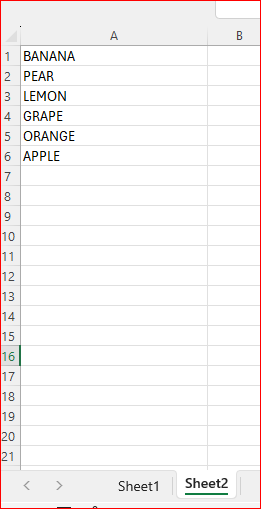
- Populate column A in Sheet2 with some data
- Return to Sheet1
- In cell A2 enter the below formula
- =Sheet2!A2
- Drag the formula down

- And we are done, all the values from Sheet2 are now in Sheet1.
 Excel tutorials
Leave a comment