
The INDEX-function is used to return a value or a reference to a value. It is mostly used in combination with other functions, like the MATCH function.
Lets see how this works with a simple example:
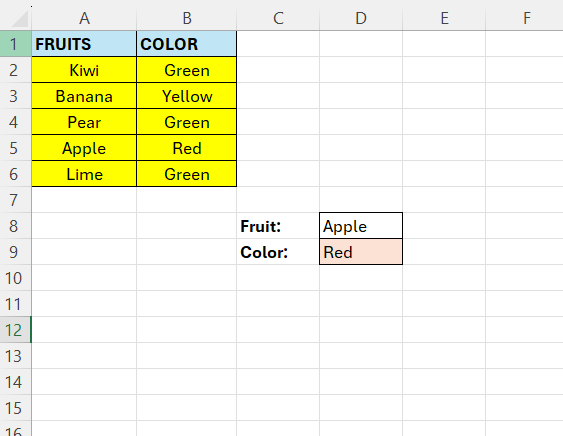
We have two columns with data, here we want to return a color of a specific fruit.
In D8 we have the fruit we want to retrieve the color for – we can see it is red
Our formula goes in D9:
=INDEX(A2:B6;4;2)
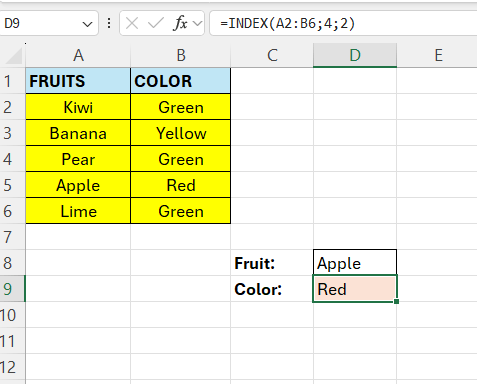
The first argument is the range, that is all our data above in column A and B. The second argument is the row. We set it to 4 because “Apple” is at row 4 in the dataset above. The final argument is the column. The value we want is in column 2 of the dataset.
Its easy to see that this function is used in combination with other functions, normally we want to look-up the column and row-values, we usually don’t know those in a larger dataset.
 Excel tutorials
Leave a comment