
A common task in Excel is to find out if a certain value exist in a list or not. There are multiple ways to achieve this. In this post, we are going to use a combination of IF and COUNTIF-function.

Above in column C we have a list of values. In H6 and H7, we enter the value we want. We search for it in the values in the list in column C.
Depending on the outcome, the formula will return either YES or NO.
Our formula will reside in cell I6 and I7. Enter the below formula in cell I6:
=IF(COUNTIF(C5:C13;H6)>0;”YES”;”NO”)
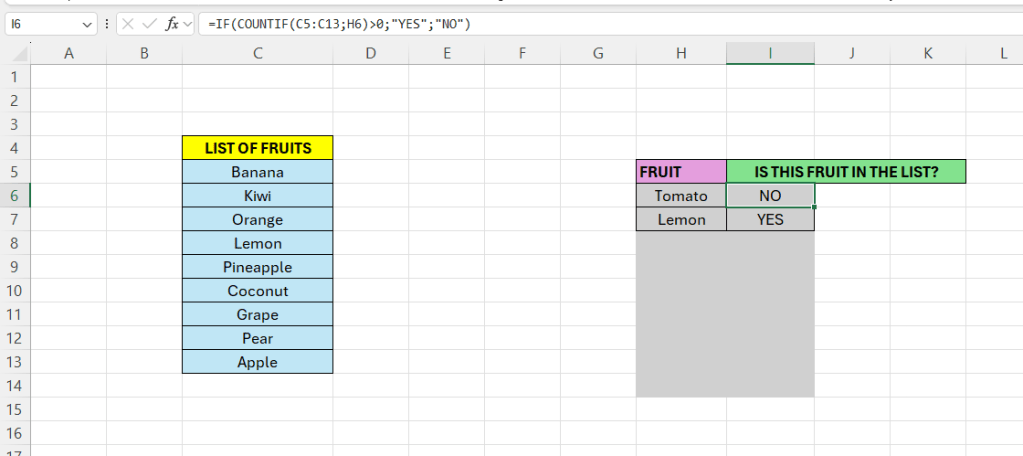
The COUNTIF() count the cells that meet the supplied requirement. If no cells meet this, the returned value value is zero. The IF-statement will return “NO” if the COUNTIF()-fucntion returns FALSE.
As we can see above, Lemon is present in the list in column C, but Tomato is not.
 Excel tutorials
Leave a comment