
The function FREQUENCY in Excel is a function for counting occurrences and group them into intervals.
The syntax for the forumula is like this:
=FREQUENCY(data_array,bins_array)
data_array: This is the values you want to evaluate.
bins_array: These are the categories or intervals that you are grouping the data into. it can be length for example, how many persons fall in the category 170-175 cm.
Lets illustrate this with an example, enter some data like below:
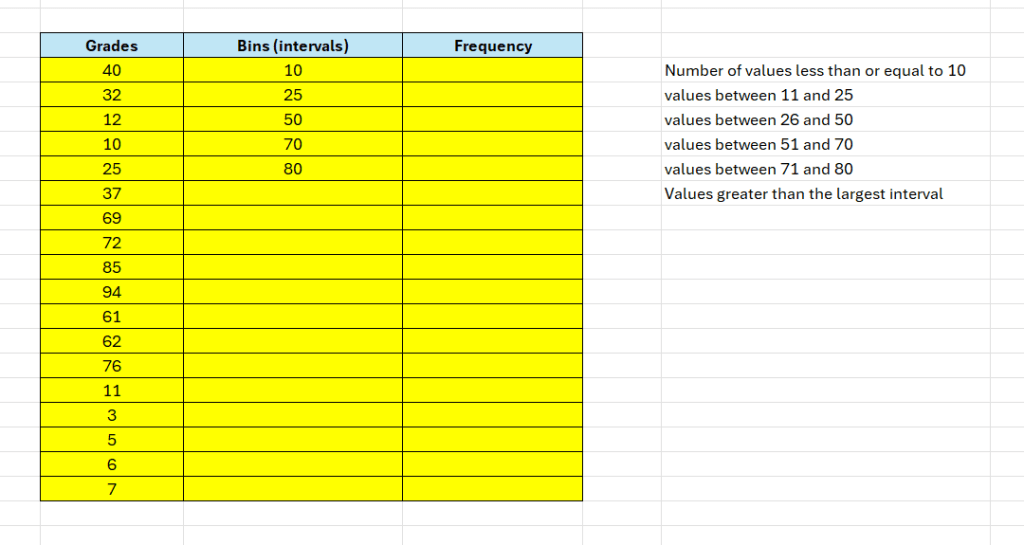
Now we want to calculate how many of these scores that falls in the categories we have specified in column “Frequency“.
In Cell D9 – enter the following formula:
=FREQUENCY(B9:B26;C9:C13)
Hit enter – and the frequencies will automatically appear.
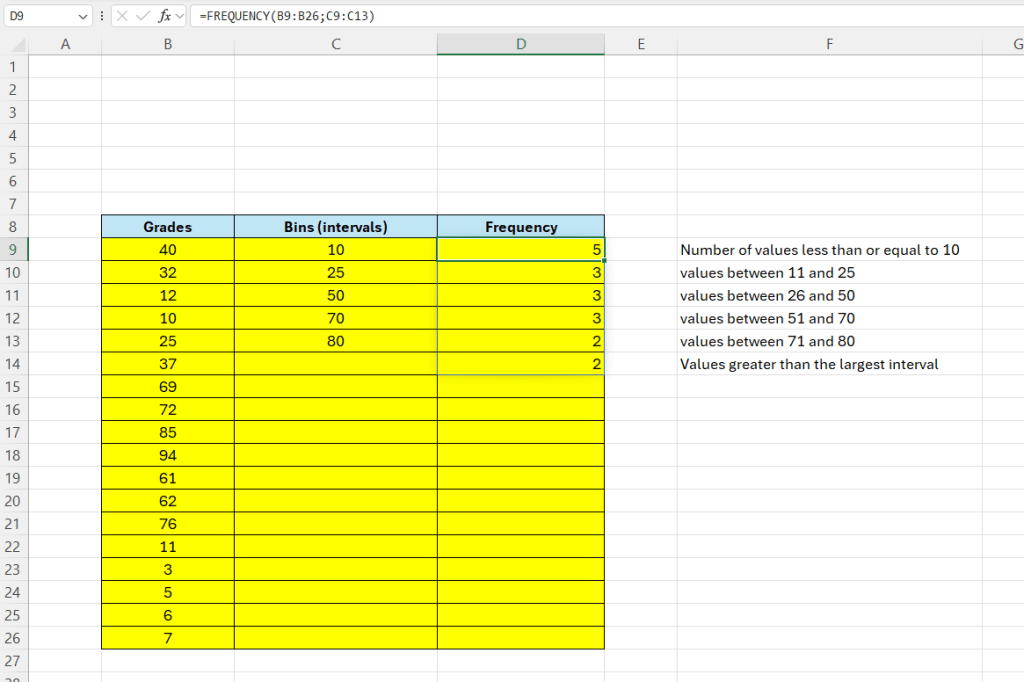
Here we can see how many results fall in each category.
Important! This tutorial uses EXCEL365 – this function works different in older versions!
 Excel tutorials
Leave a comment