One of the most basic functions in Excel is the SUM function. The function adds numbers in a range.
Lets create a simpel example to see how the function works.
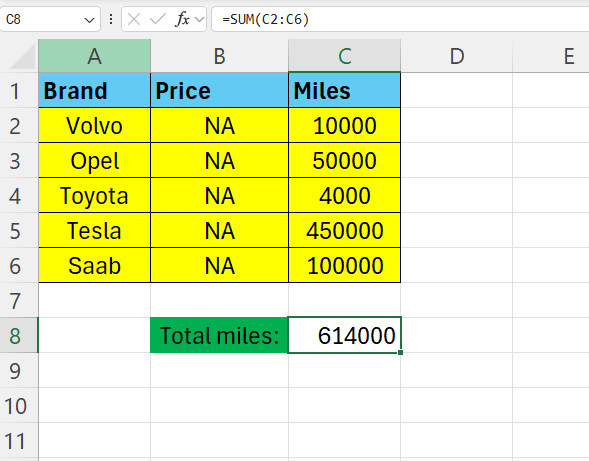
Enter some data in Excel – like below for example.

Here we are interested in the total miles the cars have traveled.
In cell C8 – enter the following formula:
=SUM(C2:C6)
Hit ENTER – and you will see the total of the values in cell C2 to C6.
 Excel tutorials
Leave a comment