Excel data validation is a way to control what users can type into cells. We can restrict data to specific types and ensure consistency.
This post provides an overview how to apply data validation, we are going to focus on entering whole numbers, that is non-negative integers.
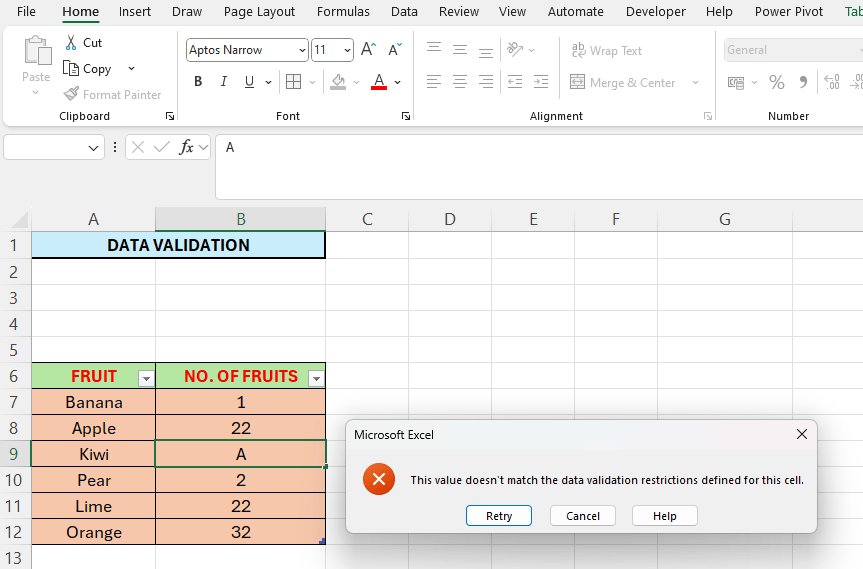
We have a list of fruits in column A, in column B we are going to type the number of fruits we want. We are going to set this up so the users only can type a number between 1 and 100.
To apply data validation follow the simple steps below:
- Select the range B7:B12
- Go to the Data tab, select “Data Validation”
- In the window that appears, select “Whole number” in the “Allow” section.
- Set 1 for “Minimum” and 100 for “Maximum”
- We skip the other tabs for now.
- Click “OK”
Now you can type in numbers between 1 and 100 in the cells B7 to B12. If you type for example the letter A, you will get an error like in the picture above.
 Excel tutorials
Leave a comment