By using data validation in Excel we can control what goes into our cells, this makes our data more consistent.

We find data validation on the Data tab, then to the right we find the icon for “Data validation”.
After clicking on this a menu appears:
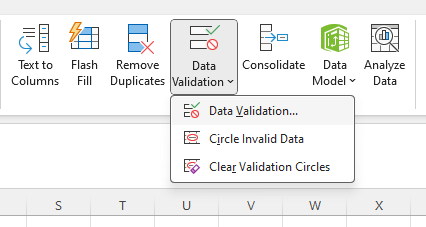
After clicking on “Data Validation” above, a dialogue appears:
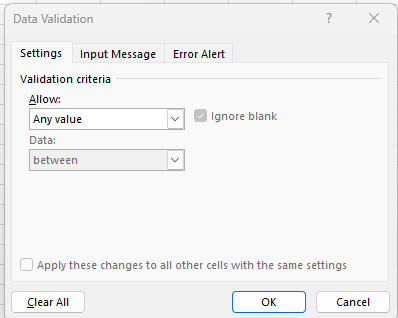
Here we have multiple options:
- In the “Settings” tab – here we select the data type
- In the “Input Message” – here we can let the user know about the constraints.
- In the “Error Alert” – Here we can let the user know that they have entered invalid data.
In the following posts we will look into practical examples.
 Excel tutorials
Leave a comment