In the previous part we calculated work ours between two times, but often we have to include a lunch break.
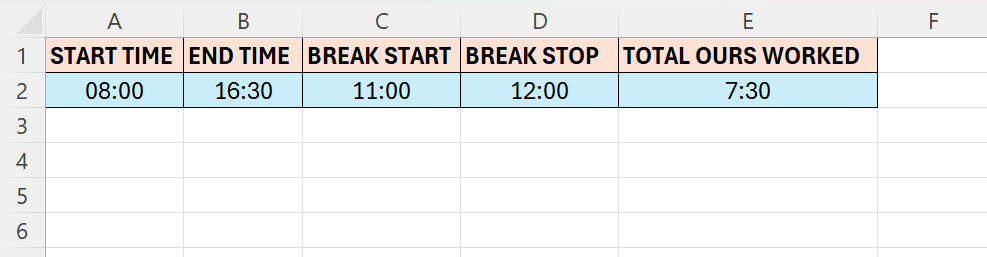
- Format columns A to D as Time
- In cell E2 we are going to enter our formula
- The formula cell will have a Custom formatting
- [t]:mm
- The formula is rather the same as in the last tutorial, we just have to take the lunch into consideration
- The complete formula looks like below
- ((B2-A2)-(D2-C2))
 Excel tutorials
Leave a comment