In Excel we can check the progress of certain task with checkboxes and percent calculations.
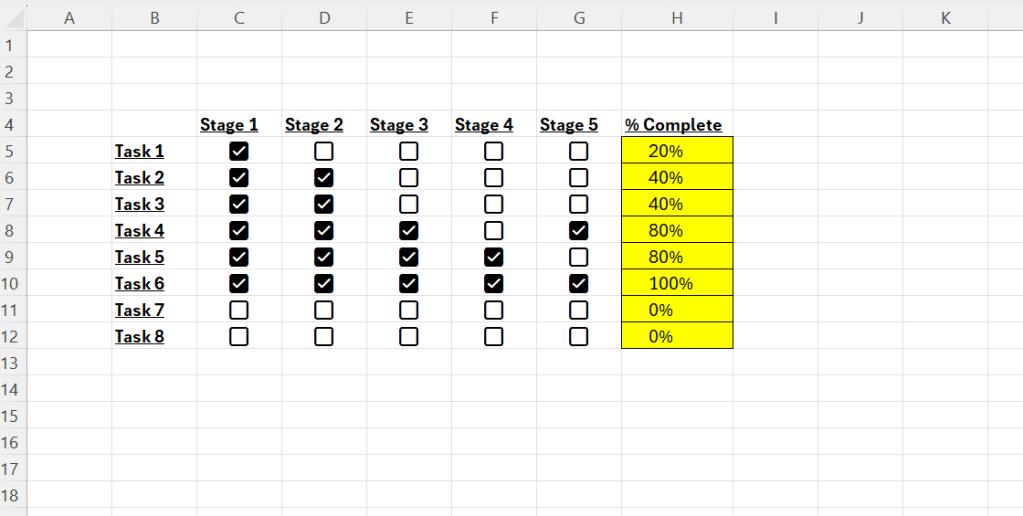
Above we have a bunch of tasks, and the tasks have a number of stages. Depending on how many checkboxes that are checked, we can calculate the progress.
Steps to follow:
- Insert the tasknames in column B
- Insert stages in a row like headers
- Select the cells where you want to place checkboxes
- Insert checkboxes through the “Insert” tab
- Create a column called “% Complete”
- Use COUNTIF(C5:G5;TRUE) to find out how many boxes that are checked
- Use COUNTA(C5:G5) to count total number of cells
- Final formula is =COUNTIF(C5:G5;TRUE)/COUNTA(C5:G5)
- Make sure you format this column as %
 Excel tutorials
Leave a comment