A common task in Excel is to calculate percent difference.
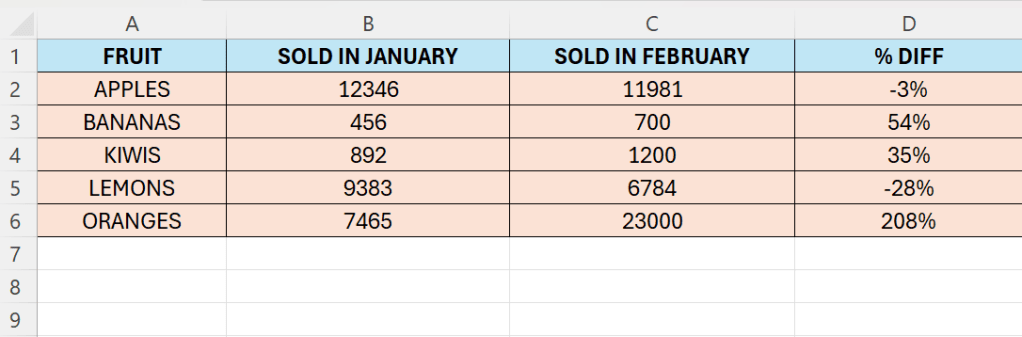
Above we have different kinds of fruits. Their respective sales are shown in two months. In the final column, we have calculated the difference.
Follow the below steps:
- Enter your fruits, or products in column A
- Enter the numbers in column B to C.
- Don’t enter any values in column D
- In D2 enter the following formula:
- =(C2-B2)/B2
- Drag the formula down to cover all rows.
Now we can easily spot the differences above in column D.
 Excel tutorials
Leave a comment