One common task in Excel is to track progess, here we are going to use checkboxes for that purpose.
- The final result will look like below
- If every box is checked the status will change to “COMPLETE“
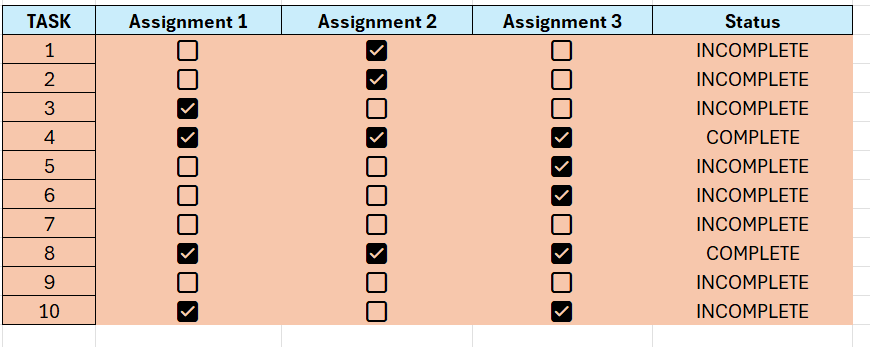
Follow this simple steps:
- Enter some data and create a bunch of checkboxes
- Look at the previous post to learn to create checkboxes.
- IF D6:F6 equals TRUE then write “COMPLETE”, otherwise return “INCOMPLETE”
- We have to combine the IF function and the AND function.
- =IF(AND(D6:F6=TRUE);”COMPLETE”;”INCOMPLETE”)
 Excel tutorials
Leave a comment