We often works with lists or tables, that are filtered. Sometimes it is convenient to show the total number of rows that are visible.

First we need to enter some data.

- Next we need to make a table out of this
- Select any cell in the data
- Hit CTRL+T
- Make sure “My table has headers” is checked
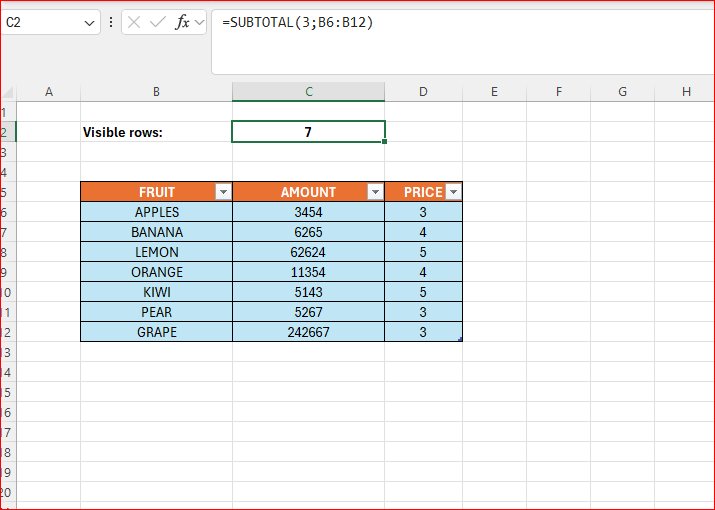
- The result will look like the first picture above
Now for the formula, we can enter it in cell C2:
=SUBTOTAL(3;B6:B12)
- The digit stands for counta, it counts cell containing information.
- B6:B12 is the range.
- Play with the filter to see the changes.
 Excel tutorials
Leave a comment