We can use Excel as a tool to keep track of high-score or a leading-board.
Below we have three columns of data:
- Rank
- Fruit
- Score

Our aim is to sort the SCORE from highest to lowest value. In the picture above, the score is sorted according to that criteria. However, we want to keep the RANK column intact.
We are going to use the ROW function for this.
- Remove the digits in column RANK
- Type =ROW()-1 in cell A2
- Drag down to the bottom
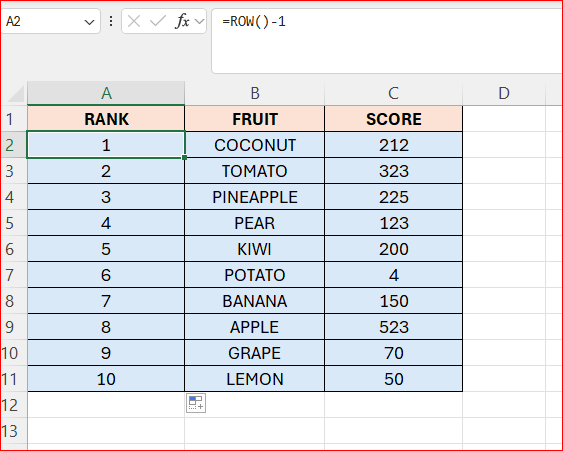
Above I have rearranged the SCORE for now.
In the HOME tab – select “Sort & Filter” – then choose “Custom Sort”

A new window appears:

We want to sort the:
- Sort by SCORE
- Sort on Cell values
- Sort order – Highest to smallest
- Click OK

Now the row-numbers does NOT change – we are done 🙂
 Excel tutorials
Leave a comment