We often have a lot of columns. As we continuously enter data at the bottom, it’s easy to forget which column we are in.

There is a feature that we can use to prevent this. It allows us to lock the first row with headers. This way, we always enter the data in the correct place.
Go to the “View” tab, then locate “Freeze Panes”, then choose “Freeze top row”
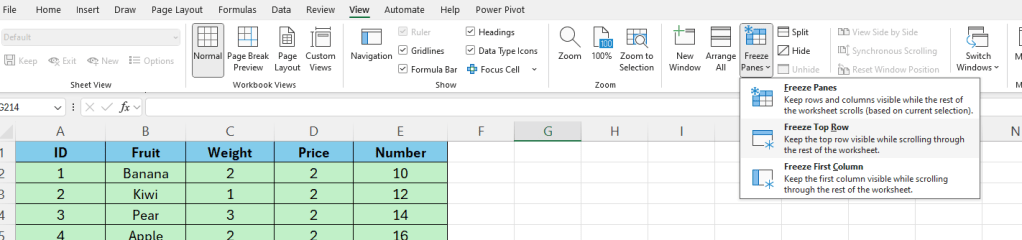
Now if we scroll down, we always can see the top row with the headers.
 Excel tutorials
Leave a comment