If we have columns with truncated cells, it is difficult to read without adjust every single column. To avoid adjust column by column there is an in-build feature to handle this.
Below we have data that we can’t see in both columns.
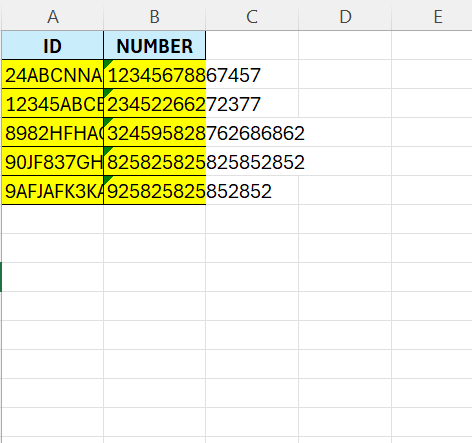
So, select all the data – CTRL+A

In the HOME tab, go to the cells section, and click on “Format“
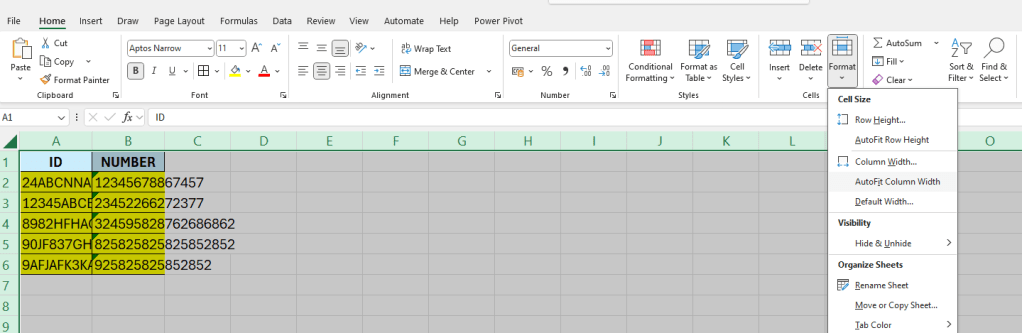
Then click on “AutoFit Column Width”

 Excel tutorials
Leave a comment