In Excel we often want to check weather a value exists in a given range or not.
As usual, there are multiple ways to do this. In this part, we will make use of the =SUMPRODUCT() function.
Below we have a given list of fruits in column F. In column B, we have entered some fruits. We want to check if those are present in column F.
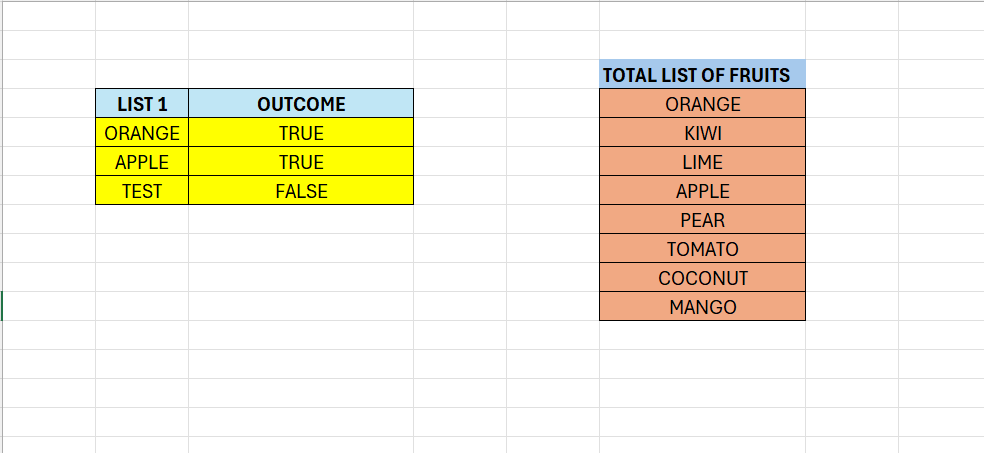
Enter the following formula in C5:
=SUMPRODUCT(–(F4:F11=B5:B5))>0
What is happening here? Each item in the range F4:F11 is compared to the value in B5. The comparison produces an array of either TRUE or FALSE.
We have a double negative in the beginning. This translates TRUE or FALSE to 1 and 0. As a result, SUMPRODUCT can do the calculation.
We see that “ORANGE” is present in the list. TRUE is returned because we have a hit that is greater than 0.

 Excel tutorials
Leave a comment