
Excel SUMPRODUCT multiplies ranges together and returns the sum of products.
Lets make an example to calculate total sales.
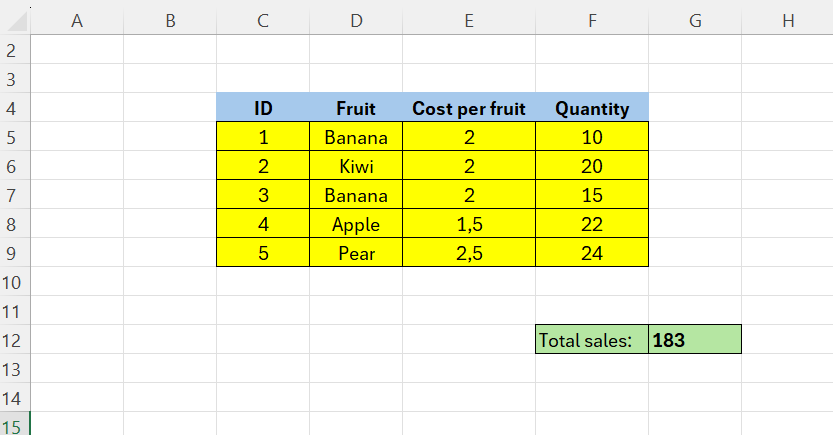
Below we have some fruits, price per fruit, and total quantity. Our goal is to calculate the total sales.
One way to do this is E5*F5 and drag it down. Then, make a summation below. Nonetheless, there is a much more elegant way.
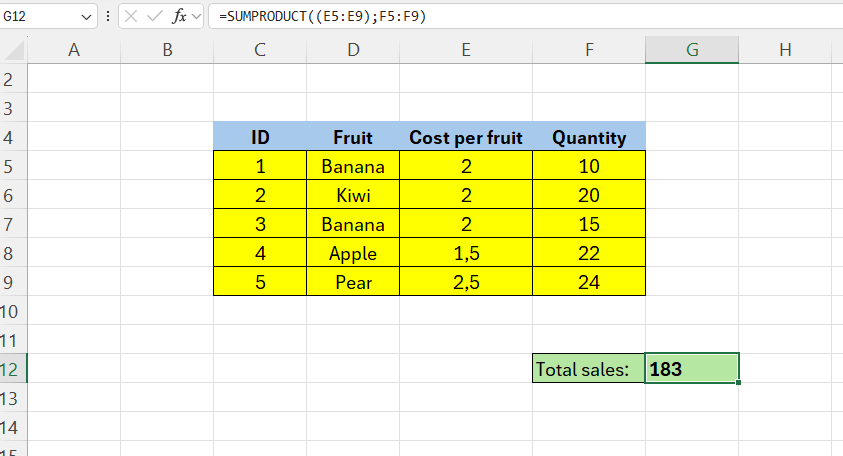
In G12 we have the formula:
=SUMPRODUCT((E5:E9);F5:F9)
What is happening here? The formula multiplies corresponding numbers in the two ranges, that is (2*10)+(2*20)+(2*15)+(1,5*22)+(2,5*24) = 183
In the next part, we are going to see how we can sum specific fruits only!
 Excel tutorials
Leave a comment