
Sometimes we dont want to calculate the sum or average for a whole column – just some part of it – based on a certain condition.
Lets pretend we have a list of products and those belong to a category, and each product have its own price – then we may caluclate the sum for a specific category only in that column.
Below is my data to play with:
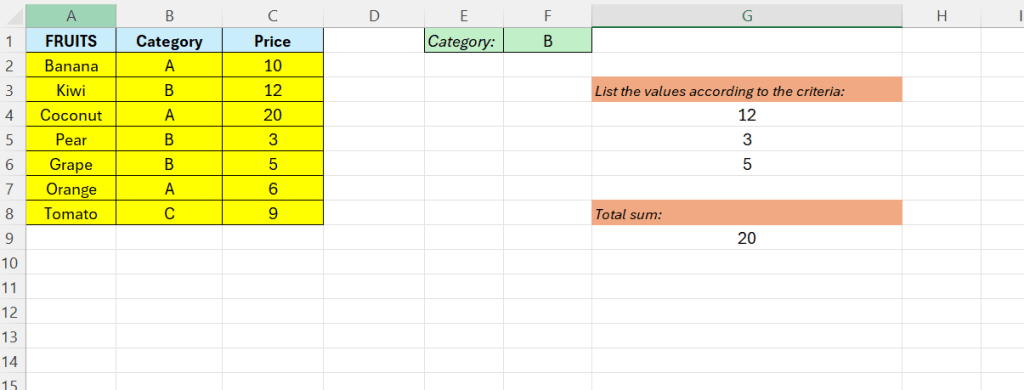
Here we want to calculate all the values in column C – that belongs to category B – we set that value in F1.
Lets break it down – first we can extract all the values that are going to be added – as we can see directly – it is the values 12,3, and 5 that belongs to category B.
We are going to use the =FILTER() function to achieve this.
Filter out every value in column C that in Column B is equal to the value in F1, that is B.
=FILTER(C2:C8;B2:B8=F1;0)

The last step is easy, we just need to add the =SUM() function to the function above.
=SUM(FILTER(C2:C8;B2:B8=F1;0))

 Excel tutorials
Leave a comment