
In Excel we often have lists or columns that we want to compare for similarities or differences. There are a lot of ways to do this – depending of the type of comparison we want to do.
Here we want to do a simple row by row comparison between two lists.
Enter some data in 2 columns like below:
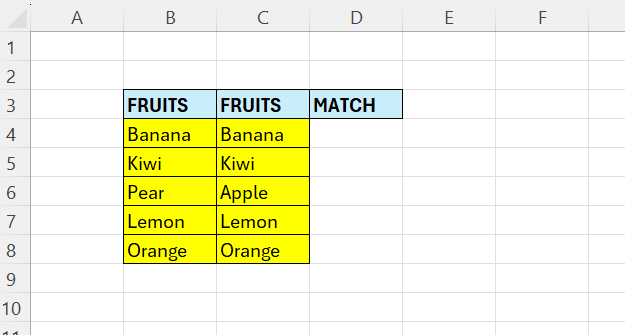
Here we have so little data that we can see that the only difference is on line 6. We want to compare whether the names on the same line are the same or not.
We will be using the equal operator for this.
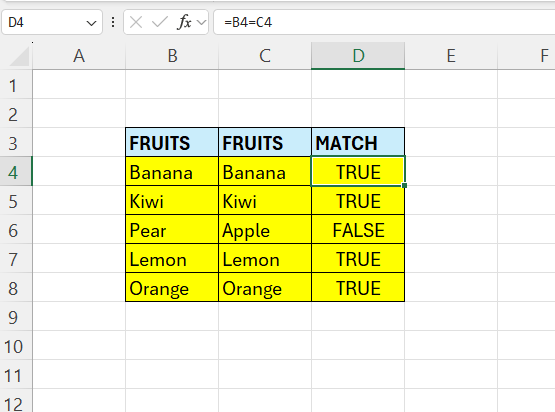
In cell D4 – enter the following formula:
=B4=C4
Here we check if the content in B4 is equal to the content in C4 – in this case it is TRUE.
To fill the rest of the cells – drag the formula down.
 Excel tutorials
Leave a comment