In Excel we can use a combination of formulas to extract the first word in a cell. Lets say we have a column full of names – but they are in the same column.

The trick here is to find the space between the names. For this we will make use of the =FIND() function. This function will help us to get the position of a given character or string within another string.
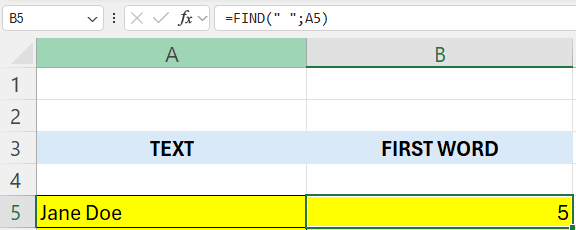
Lets start by finding this position of the space – in cell B5 – enter the following formula:
=FIND(” “;A5)
This will give as a 5
If you count you can see that the space is at position 5 in the string.
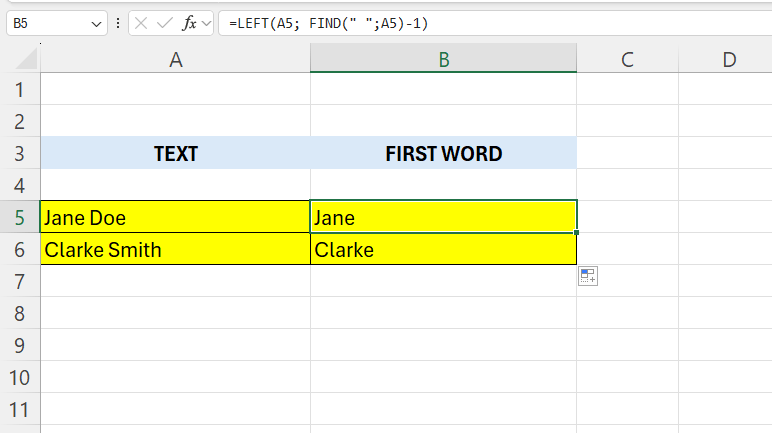
Now we are going to use the =LEFT() function. We are going to give the =LEFT() function the =FIND() function as an argument, in this case it will be position 5.
In cell B5 – enter the following formula:
=LEFT(A5; FIND(” “;A5)-1)
We are subtracting 1 to get rid of the space.
 Excel tutorials
Leave a comment