The Excel VLOOKUP function is very powerful and can be used in a number of ways to retrieve information.
The important thing to remember is that the lookup value must appear in the first column of the table – to the left that is.
Here is a quick summary of the syntax of the function we are going to use in this part.
=VLOOKUP(lookup_value,table_array,column_index,[range_lookup])
- lookup_value – The value to look for
- table_array – The range from which to retrieve a value
- column_index – The column in the range from which to retrieve a value
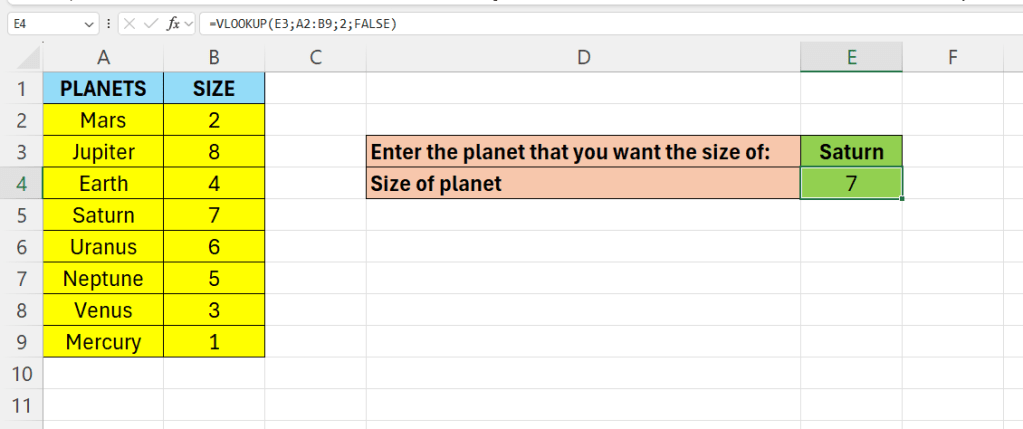
In below picture – we enter a name of a planet – and as a result we get its size.

Our formula will go in cell E4.
=VLOOKUP(E3;A2:B9;2;FALSE)
Above, E3 is the name of the planet we enter in cell E3.
The table array is where we get the information from – A2:B9
Finally we enter the column index – that is from column 2 – column B.
 Excel tutorials
Leave a comment