
Here we are going to look into how to create a simple age calculator.
It requires input as in the form of your birthdate YYYY-MM-DD
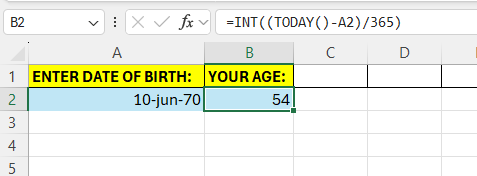
Start by entering some headings into Excel

We are going to make use of the =TODAY() function. This is a built-in function that returns the calender date on the present date, todays date.
Then we are going to substract the value in A2 from this – this will give us the number of days. Then to get the number of years, divide this by 365.
The complete formula looks like below – we make use of the INT to make it a whole integer instead of a lot of decimals.
 Excel tutorials
Leave a comment