In this part we are going to see how we can randomize or shuffle a list in Ecxel.
Note! We use Excel365 for this – older versions requires a different approach.
Start by entering some names of values in column A.
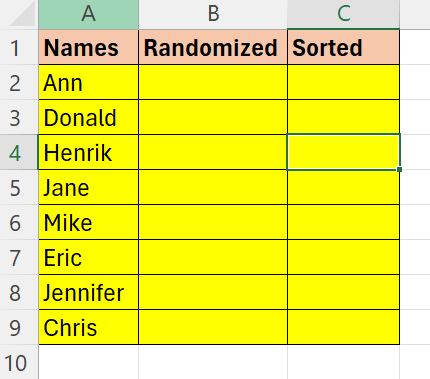
Now we need to assign a random value to each of the values in Column A. For this we will make use of the =RANDARRAY() function.
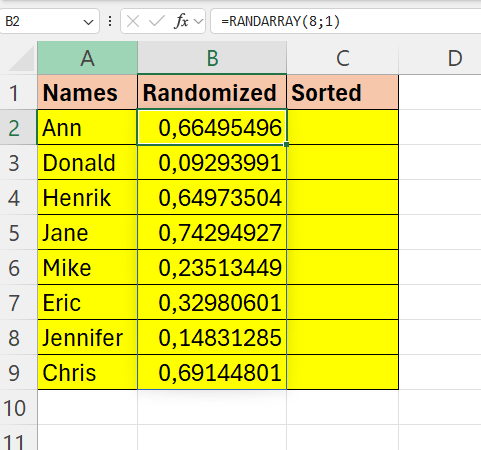
This function gives us a random number between 0 and 1. Hit F9 for refresh
Now we will use the =SORTBY() function. It will sort the range on the basis of the given values.

Now we can combine this to one forumla:

 Excel tutorials
Leave a comment