The MID-function is used for string-manipulation. It is used to extract a part of a string.
The function looks like this:
MID(text,start_num,num_chars)
Text – is the original text/cell value
start_num – the position of the first character what you want to search for
num_chars – this is the number of characters that you want to extract.
Lets look at an example
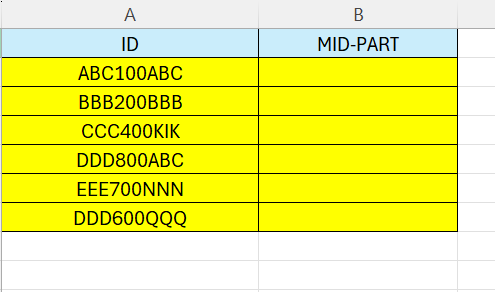
Here we have some IDs – we want the middle part – the numeric 3 characters.
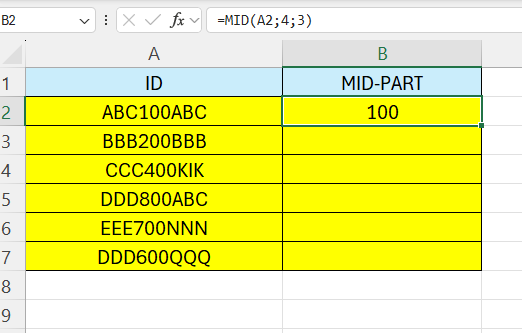
In cell B2 – enter the following formula:
=MID(A2;4;3)
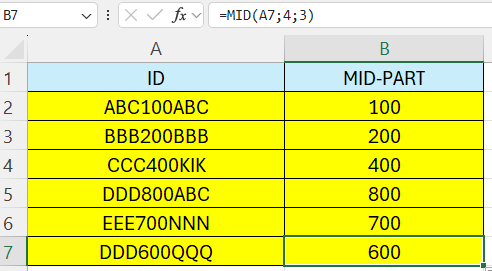
Drag the formula down to fill all the cells.
 Excel tutorials
Leave a comment