
A common task in data analysis is to extract parts or chunks from a string.
In this example we are going to see how we can extract the last 2 characters from a string in Excel.
Start by entering some data in Column A
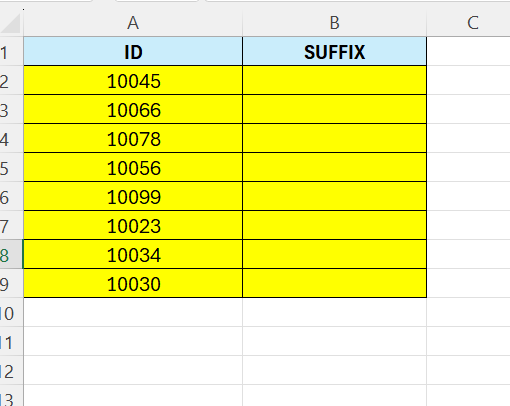
Above we have a column with some IDs – they all start with 100 – but here we want the suffix only – the last 2 characters – and put them in Column B.
We are going to make use of the =RIGHT function here. This function is used to retreive a chosen number of characters, counting from the right hand side.
In Cell B2 – enter the following formula:
=RIGHT(A2;2)
The formula says, look in cell A2 – and get 2 charactes starting from the right hand side.

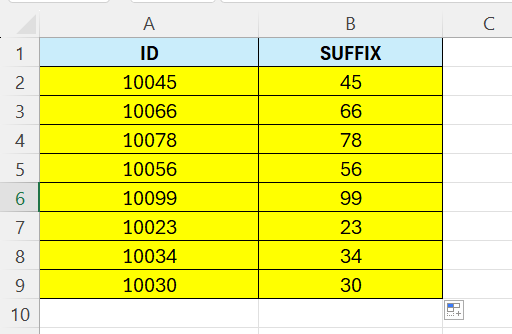
Drag the formula down to cover all the cells.
 Excel tutorials
Leave a comment