In EXCEL there are many ways to find and/or highlight duplicates in ranges or lists.
In the following example we are going to use the function COUNTIF
First, enter some data in Column A, in Column B we enter a heading like “IS DUPLICATE”.
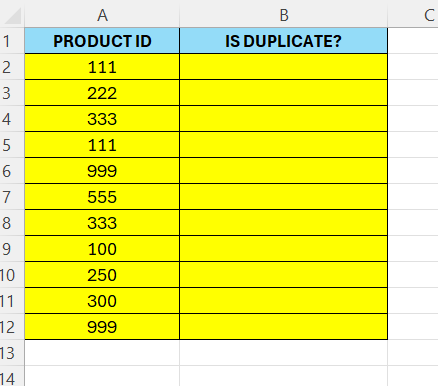
Now, in cell B2, enter the following formula:
=COUNTIF(A:A;A2)>1
The fill the rest of the cells – drag the formula down to cell B12.
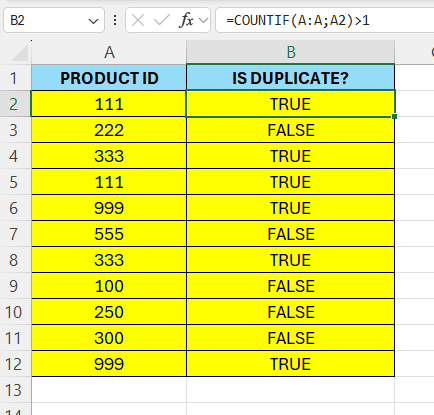
The function checks in the whole column A – therefore we can add values there later on and drag the formula down. Excel will display TRUE next to the duplicates and FALSE next to unique values.
 Excel tutorials
Leave a comment