The FILTER function is used to extract values from a list based on one or more conditions.
Lets create a list with points or values – enter some data in column A – starting in cell A2.
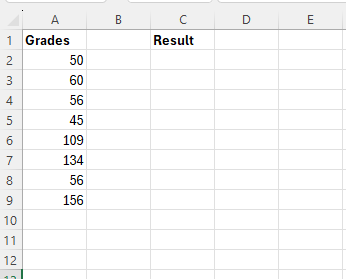
Lets say that we want to extract all values that are above 100.
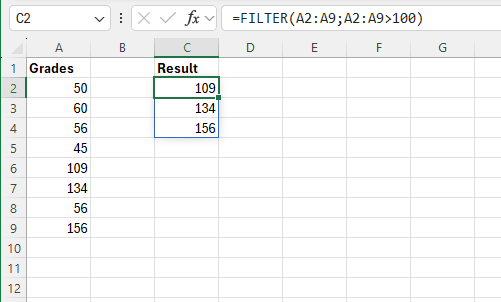
Lets enter the following forumla in cell C2
=FILTER(A2:A9;A2:A9>100)
 Excel tutorials
Leave a comment